
← All updates
Many tables on one sheet
Real workbooks rarely hold one neat table per sheet. A sheet often has a few tables side by side, smaller tables stacked under a title, a note in the margin, or a header written over two rows. Superlytix now reads these sheets the way you would.
What's new
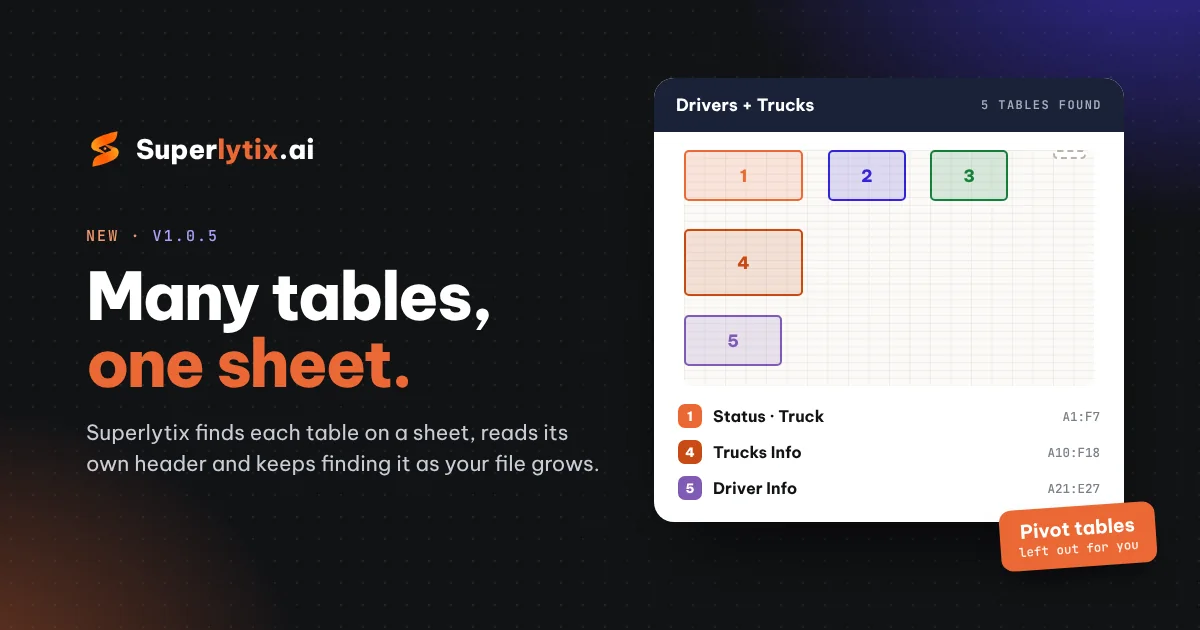
- Every table is found: we look at where the cells are filled and find each table on the sheet, side by side or stacked. Each one becomes its own table in your report, named from its title row (for example "Trucks Info") or its first columns.
- Each table gets its own header: even when one table's header starts a row lower than its neighbour's. A header written over two rows is combined, so a "Sep week 4" label above "Current KM" becomes "Sep week 4 Current KM".
- It keeps up as the file grows: each table is found by its header, not by a fixed range. When rows are added next month and the tables below move down, the report still refreshes.
- Notes stay out: a company name or a stray line beside the tables is listed on Upload but not loaded.
- Pivot tables stay out: pivot-table results (Row Labels, Grand Total, Sum of…) are left out by default, because we rebuild those numbers from your data.
A clearer Upload page
- A map of each sheet: every table gets a number and a colour. Hover a table to see where it sits on the sheet.
- Each table at a glance: its range, rows, columns and first column names.
- Simple controls: switch a table off with Used, rename it with the pencil, or change its type from a short menu that explains each choice. Most people leave it on Let us decide.
- One table, if you prefer: the One table switch reads the whole sheet as a single table again.
Also fixed
- Columns that hold IDs, such as plate numbers or product codes ("1234 ABC"), now keep their letters instead of being read as numbers.
Files you upload from now on are read the new way. Projects you already have stay exactly as they are.