
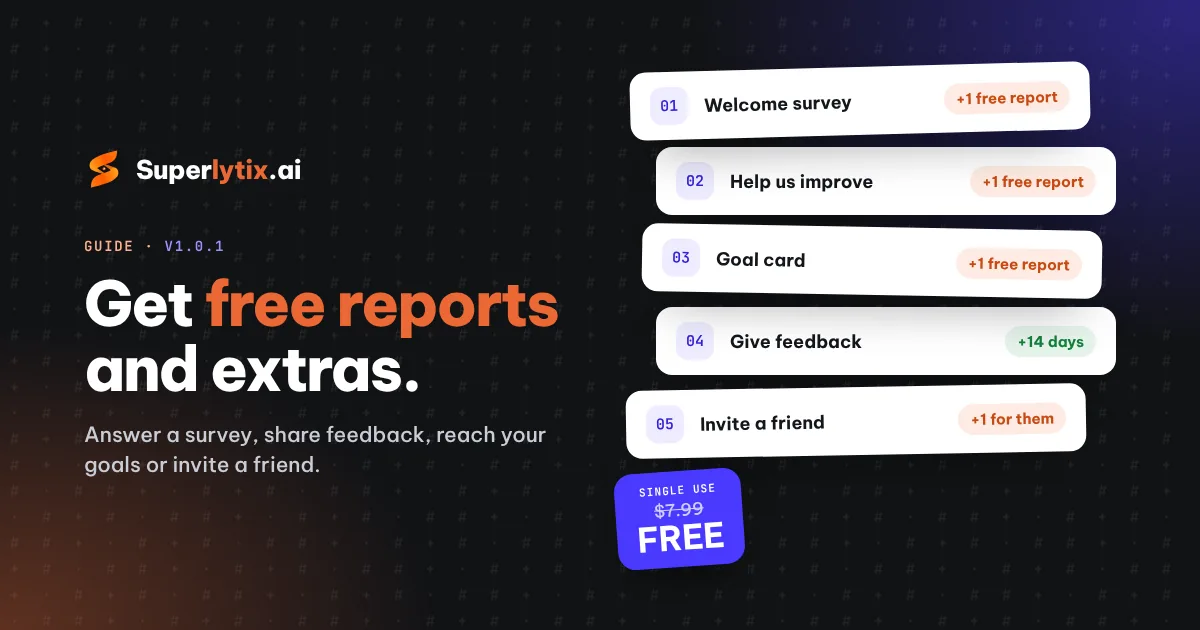
How to get free reports and extras
Superlytix gives you something back for a few minutes of your time. Every reward below is added to your account automatically; you'll see it in the bell 🔔 next to your profile.
1. The welcome survey: a free Single Use report
When you sign up, we ask 10 quick questions in three short steps (about a minute in total).
- Finish step 2: your Free projects are kept 7 days instead of 3.
- Answer all 10 questions: you get 1 free Single Use report ($7.99 value): one project with Power BI, Excel and PDF downloads.
2. "Help us improve": another free Single Use report
Once you've downloaded your first report, a short "Help us improve" form appears on your projects page. It takes about 3 minutes: how the process went and how your reports turned out. Send it and you get 1 free Single Use report.
3. Feedback on a report: more time or an extra project
Open a downloaded project and click Give feedback. Answer every choice question (writing comments is optional) and you get:
- Free or Single Use: that project is kept 14 more days.
- Plus or Pro: 1 extra project this month.
This works once per project, up to 3 times a month. Your rating doesn't matter: honest feedback earns the same reward.
4. The goal card: one more reward
On your projects page, the goal card has four milestones: make a project, download a report, download all three formats (Power BI, Excel and PDF), and give feedback. Reach all four and claim 1 free Single Use report (Free and Single Use), or 1 extra project this month (Plus and Pro).
5. Invite a friend
In Account → Invite a friend you'll find your personal code. A friend who signs up with it gets 1 free Single Use report when they start a paid plan.
Good to know
- Each reward is given once per person and email inbox, and not to temporary email addresses.
- Free reports never expire: your next new project uses the credit, or open an existing project and choose Unlock download.